Documentation
You need to flash the PokyPow
Do not worry, everything will be done in the browser (Edge, Chrome are supported). No complex tools are needed.
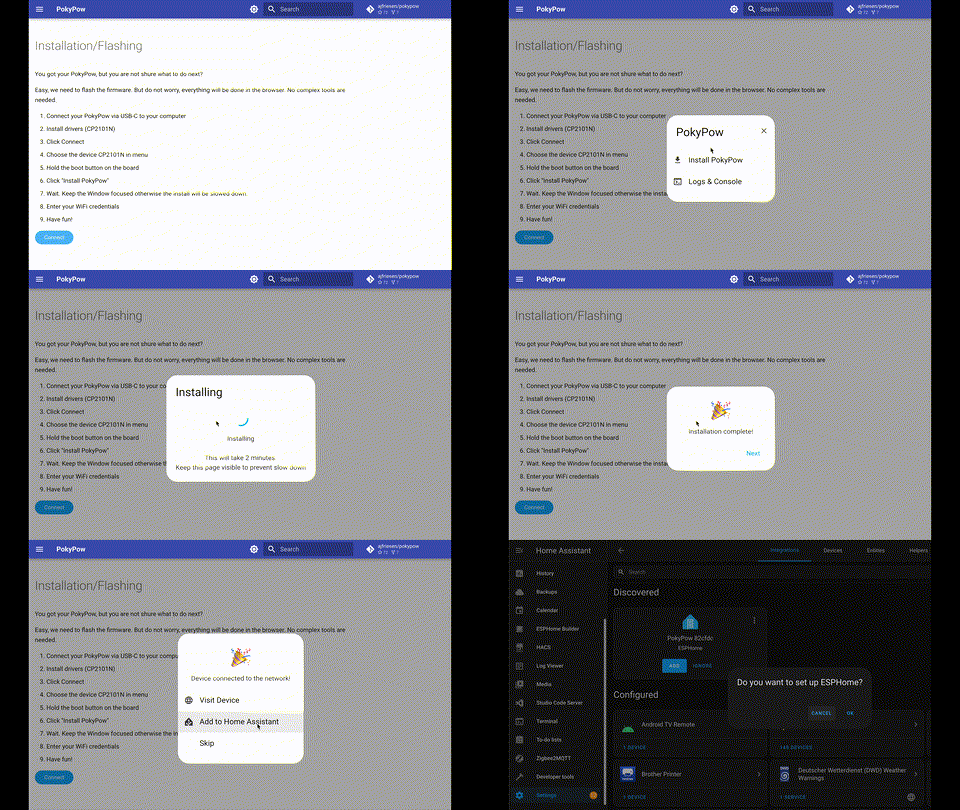
- Connect your PokyPow via USB-C to your computer/laptop
- Install drivers (CH340)
- Click Connect
- Choose the device CH340 in menu
- Hold the boot button on the board
- Click "Install PokyPow"
- Wait. Keep the Window focused otherwise the install will be slowed down.
- Enter your WiFi credentials
- Have fun!